
A deeper look at your results.
A test gives you measurements. PEAK adds structured analysis and expert review, connecting those measurements to training zones and, depending on your chosen assessment, physiological limiter findings and training recommendations.
Use it to explore your existing results in more detail and discuss the findings with your coach or testing laboratory.
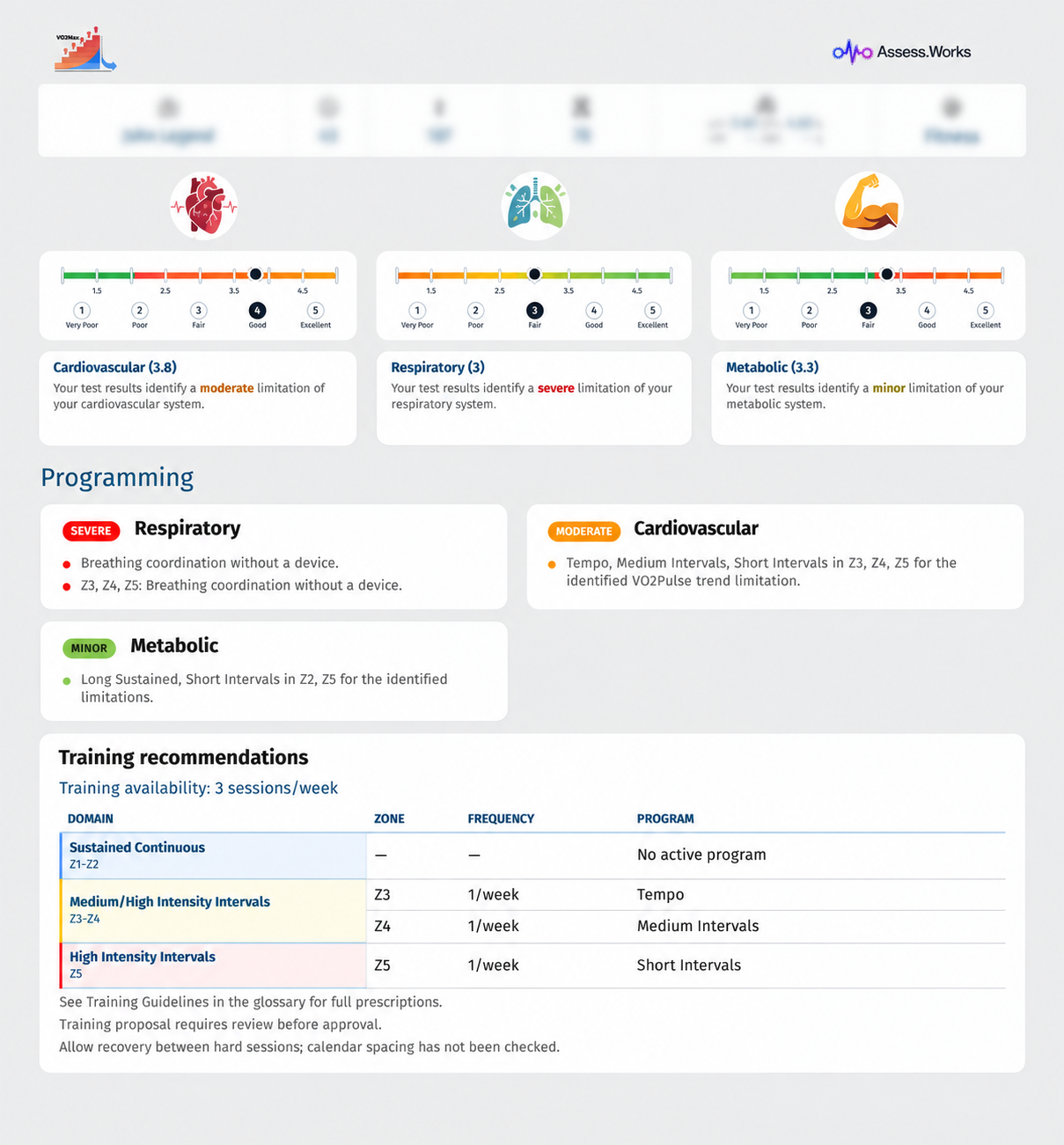
An example of the report’s system summaries and recommendations. Your findings depend on your own test and selected assessment.
Understand your training zones.
See your thresholds and training zones in the context of the test. Expert review helps turn the analysis into a clearer framework for discussing training intensity and planning your next steps.
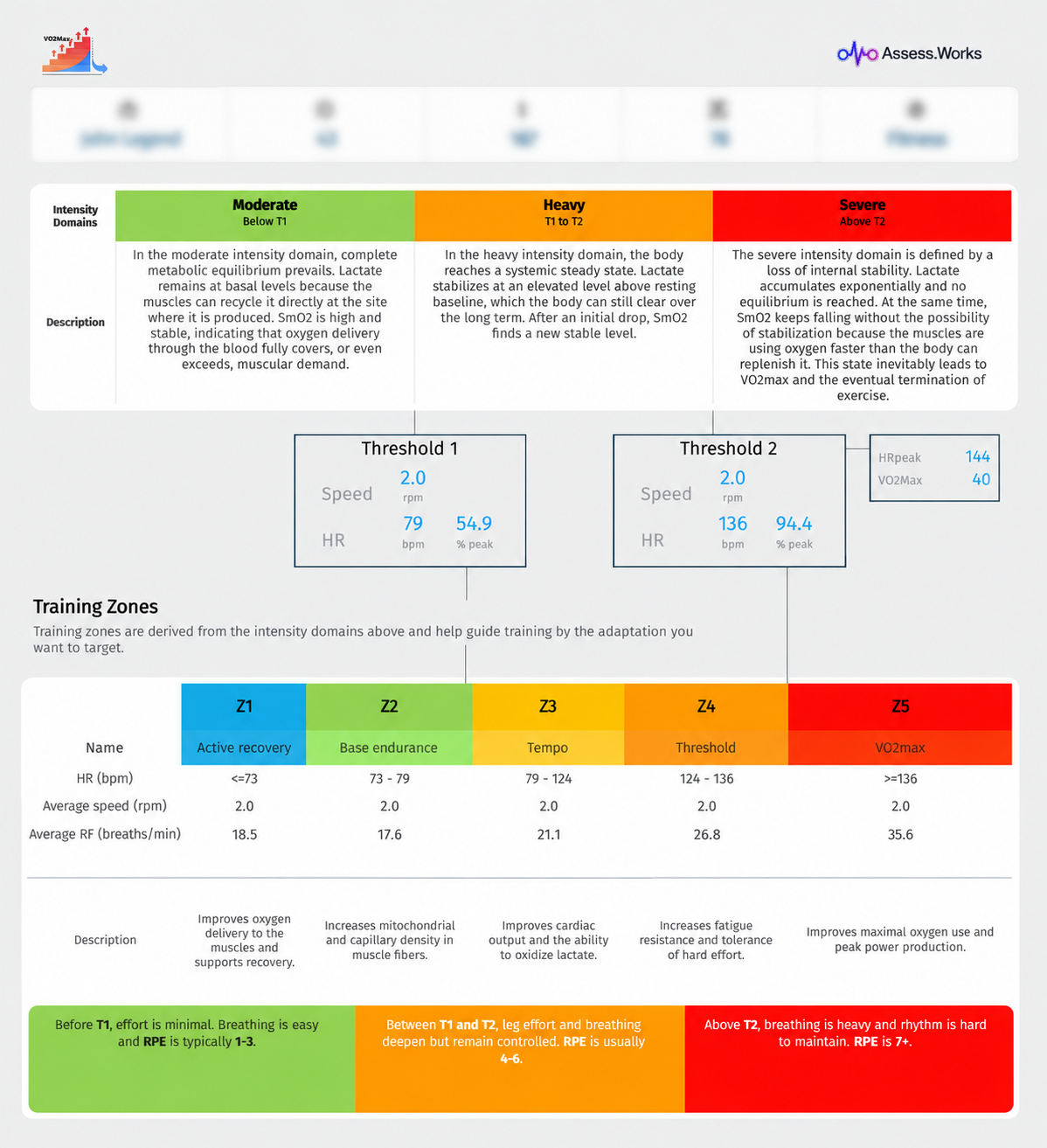
Sample training zones from one assessment, shown as an example.
Explore what may be limiting your performance.
With an assessment that includes limiter analysis, explore respiratory, metabolic and cardiovascular findings alongside explanations of what the metrics mean. The complete assessment also includes training recommendations and a training programme.
Start with the original test data.
- Get your export. Ask your testing laboratory for the original data file from your test.
- Check compatibility. Review the supported file formats and protocol requirements before uploading.
- Choose your assessment. Add your athlete and test details, select the report option you need and submit for expert review.
Check supported formats and protocol →
Reviewed before it reaches you.
Reviewers check and refine training zones and review the findings and recommendations included in your assessment before releasing the final report. This is a review of the submitted data; it does not independently verify how the original test was conducted.