
01 / Evaluate
See the signals in context.
Step inside the assessment workspace. Review charts bring physiological signals together, with training zones and controls for exploring the test in more detail.

The internal workspace: zones, charts and review controls in one place.
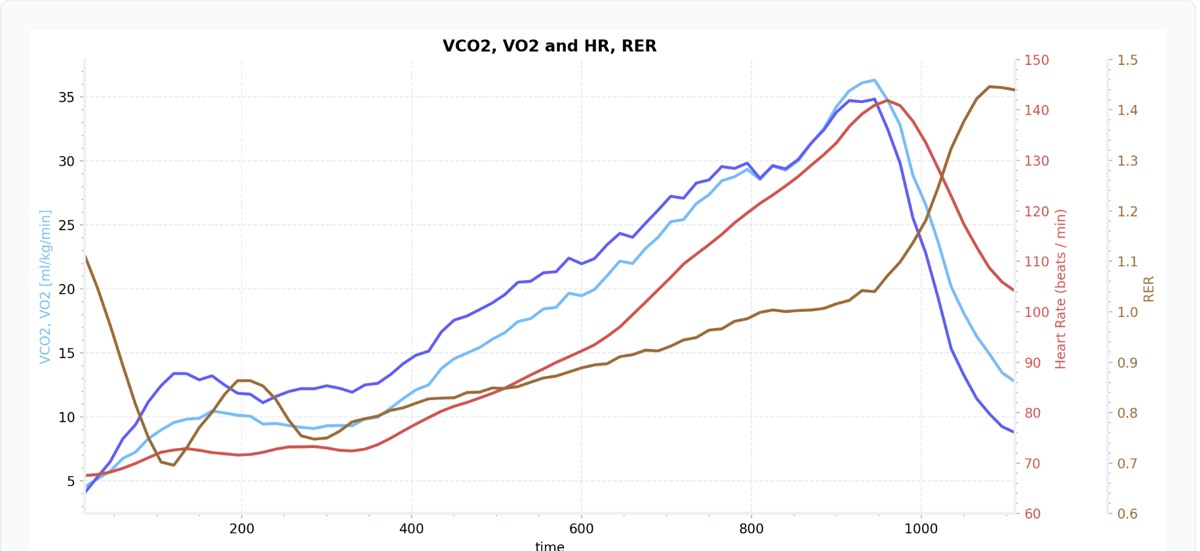
Oxygen uptake, carbon dioxide output, heart rate and RER across the test.
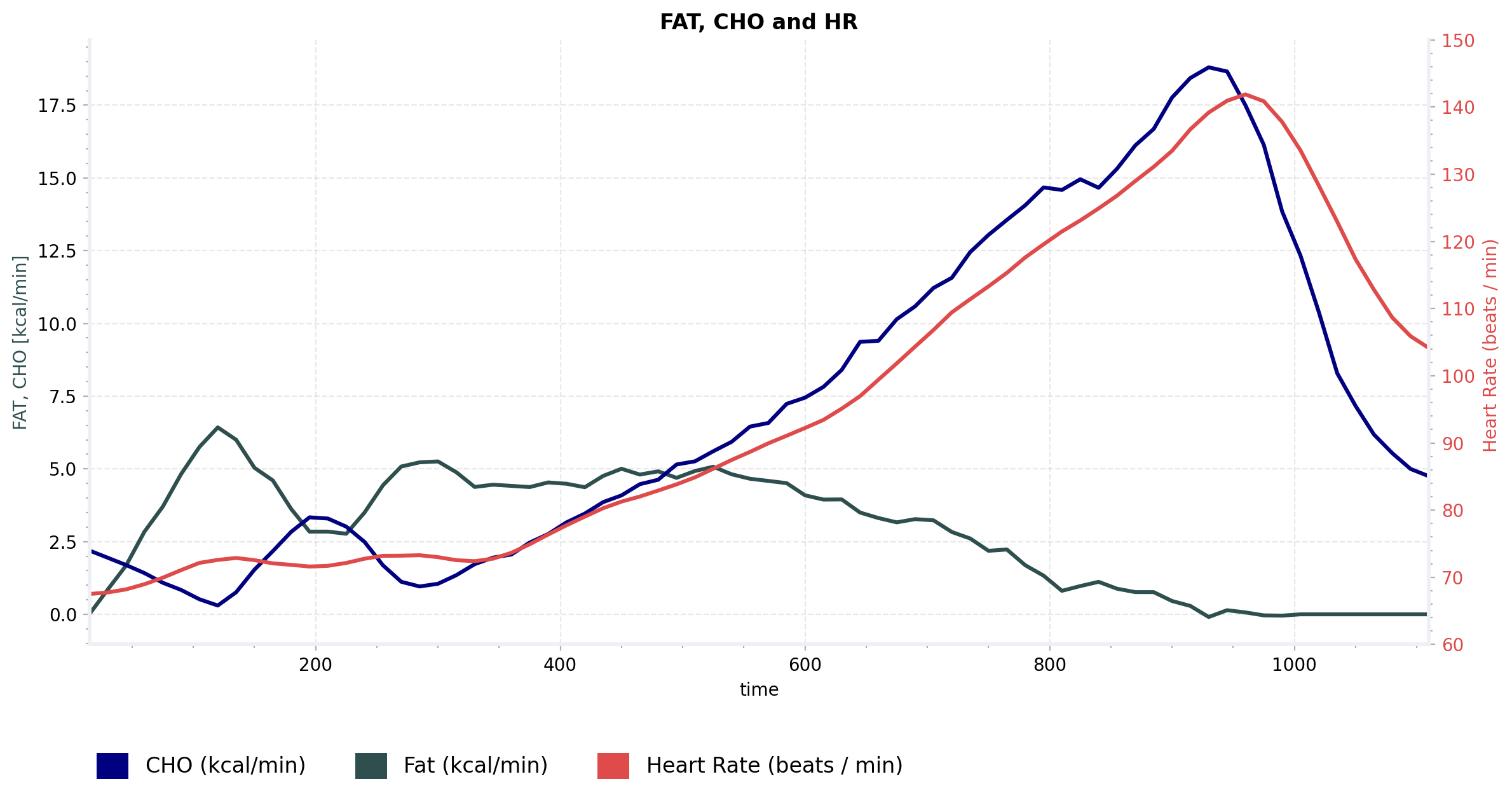
A second perspective: fat and carbohydrate use alongside heart rate.
02 / Approve
From evidence to reviewed findings.
Reviewers can adjust and approve zones, inspect the metrics behind limiter findings, and review training recommendations. These are internal expert controls.

Zone approval is an explicit step in the review workflow.
Look beneath a limiter statement.
This cropped example shows a respiratory metric, its scoring criteria and the zone-level trend details available to the reviewer.
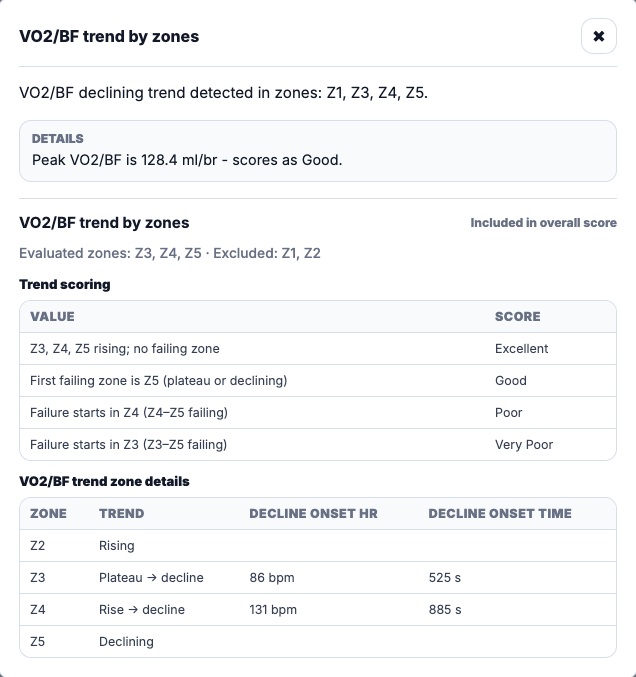
A focused excerpt from the limiter review — sample values, not a finding about the recipient.
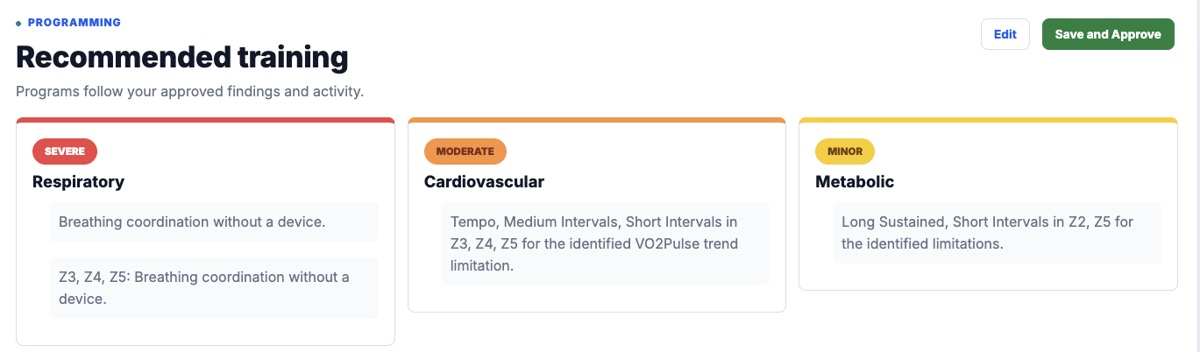
Recommendations can be reviewed before using Save and Approve.
03 / Know
Give the findings a clear destination.
The PDF report brings together system summaries, training zones, limiter statements, charts and a glossary. The report workspace includes a separate approval step before release.

The report is reviewed before release to the customer.
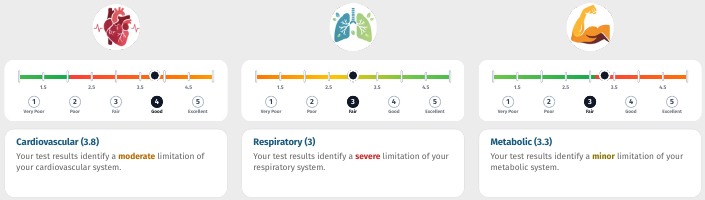
An excerpt of the output. Findings are specific to the test and selected assessment option.
Registered customers can return to their tests and access summary, chart and report views. Your lab can use the findings as a starting point for a more informed conversation with each client.
COMPLETE ASSESSMENT
All this. Only €35.
Training zones
Physiological limiter analysis
Training recommendations and a training programme
Expert review and a PDF report
Per complete assessment. Applicable taxes calculated at checkout.